
How to add Trust Badges to then Snap Cart Drawer
Overview
Trust Badge allows you to display payment icons, security badges, and custom logos directly within the cart drawer to help build customer confidence before checkout.

Displaying recognizable payment methods and trust indicators can help:
- Increase customer trust during checkout.
- Highlight accepted payment methods.
- Reinforce your store's credibility.
- Reduce hesitation before completing a purchase.
Trust Badges are particularly useful for stores that want to emphasize secure payments and supported payment options.
Select Payment Icons
Snap Cart Drawer provides a collection of commonly used payment icons that you can display in your cart drawer.
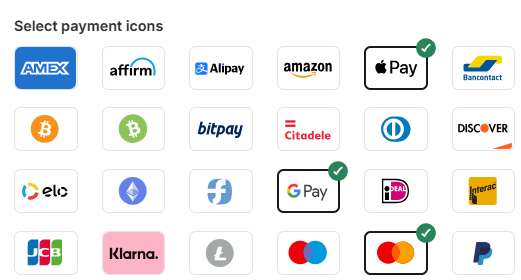
Available options include popular payment providers such as:
- Visa
- Mastercard
- PayPal
- Google Pay
- Apple Pay
- Stripe
- Klarna
- Amazon Pay
- Discover
- Skrill
- And many more.
Simply select the icons you would like to display, and they will automatically appear in the Trust Badge section of your cart drawer.
Tip: Display only the payment methods supported by your store to provide customers with accurate checkout information.
Upload Custom Logos
In addition to the built-in payment icons, you can upload your own custom logos.
Common examples include:
- Secure Checkout badges.
- Money-back guarantees.
- Shipping guarantees.
- Store certifications.
- Custom payment provider logos.
- Brand-specific trust indicators.
Supported file formats include:
- SVG
- PNG
- JPG
- GIF
Note: Uploaded files must be smaller than 2.5 MB.
Uploading custom logos allows you to provide additional trust signals that are relevant to your store and target customers.
Customize Icon Size
You can adjust the size of the displayed icons to better match your cart drawer's design.
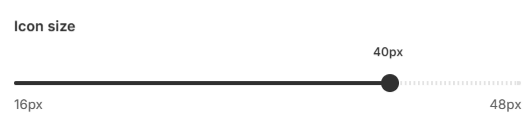
The icon size can be configured between: 16 - 48 px
Larger icons may improve visibility, while smaller icons can help maintain a cleaner cart layout.
Tip: Consider using larger icons for mobile storefronts to improve readability and customer engagement.
Customer Experience
Trust Badges are displayed near the checkout section of the cart drawer to reassure customers before they complete their purchase.
Displaying familiar payment methods and security indicators can help customers:
- Feel more confident when checking out.
- Quickly identify supported payment options.
- Better understand that their payment information is processed securely.
Trust badges are particularly effective when combined with other checkout-focused features such as Confirmation Box and Estimate Shipping Rate.
Help & Support
Have questions or running into issues? Reach out to us at [email protected] or via the live chat in the app — we're happy to help!