
How to add notes to customer's order in Snap Cart Drawer
Overview
Additional Note allows customers to leave special instructions or notes for their orders directly from the cart drawer.
This feature is useful when customers need to provide additional information before checkout, such as:
- Gift messages.
- Delivery instructions.
- Packaging requests.
- Order-specific requirements.
Any notes submitted by customers will automatically be attached to their Shopify order, making it easier for merchants to review special requests before fulfillment.
Note: Customer notes are saved as Shopify order notes and can be viewed directly from the order details page in your Shopify Admin.
Configure Additional Note
Title
Customize the title displayed above the note field in the cart drawer.
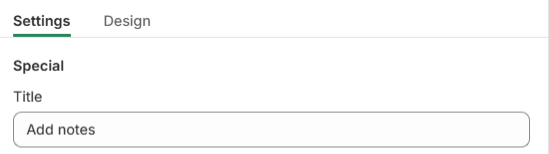
Examples:
Add Notes
- Special Instructions
- Order Notes
- Delivery Instructions
A clear title helps customers understand the purpose of the note section.
Placeholder Text
Customize the placeholder text displayed inside the note field.

Examples:
- Instructions for your order.
- Leave a message for our team.
- Add your delivery instructions here.
- Tell us anything we should know about your order.
Placeholder text can be used to guide customers on the type of information they should provide.
Display Position
Choose how the title and note field are aligned within the cart drawer.

Available options include:
- Left
- Center
- Right
This setting allows you to better match the layout of your cart drawer design.
Input Type
Additional Note supports two input formats.
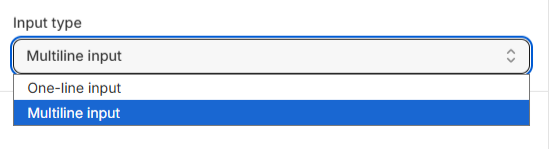
One-line Input
Displays a single-line text field for shorter notes.
This option is ideal for:
- Gift messages.
- Short delivery instructions.
- Simple customer requests.
Multiline Input
Displays a larger text area that allows customers to enter multiple lines of text.
This option is recommended when customers may need to provide more detailed instructions, such as:
- Delivery requests.
- Custom order requirements.
- Packaging instructions.
Tip: Multiline Input provides more space for customers to leave detailed information and is recommended for stores that frequently receive special order requests.
Customize the Appearance
Navigate to the Design tab to customize the appearance of the Additional Note section.
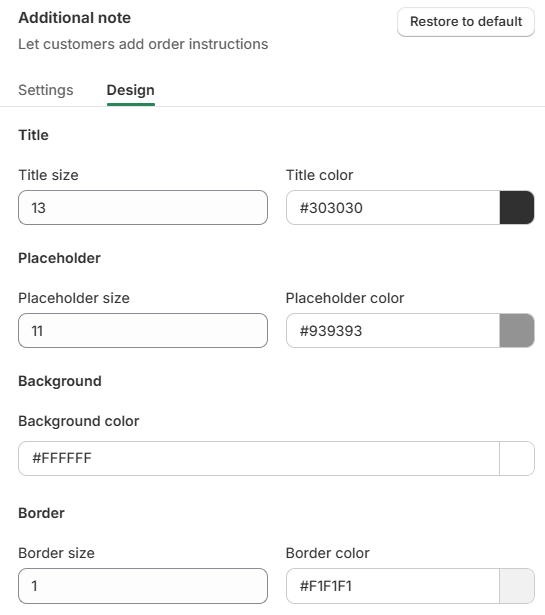
You can customize:
Title
- Title size.
- Title color.
Placeholder
- Placeholder size.
- Placeholder color.
Background
- Background color.
Border
- Border size.
- Border color.
These settings allow you to match the Additional Note section with your store's branding and improve readability within the cart drawer.
Customer Experience
When enabled, customers can add notes directly from the cart drawer without leaving their shopping experience.
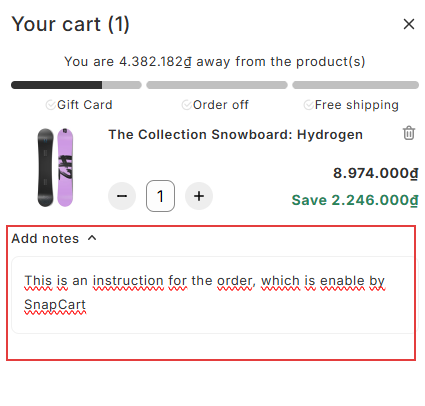
Common use cases include:
- "Please gift wrap this order."
- "Deliver after 6 PM if possible."
- "This is a birthday gift."
- "Please do not include the invoice in the package."
After checkout is completed, the customer's note will automatically appear in the corresponding Shopify order details.
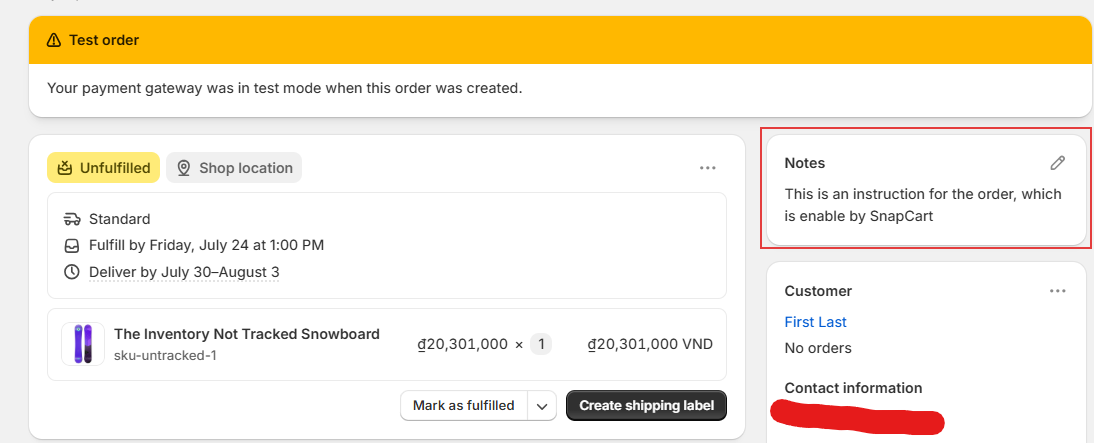
This allows merchants to easily review customer instructions before processing and fulfilling the order.
Note: Additional Notes are attached to the entire order rather than individual products.
Help & Support
Have questions or running into issues? Reach out to us at [email protected] or via the live chat in the app — we're happy to help!