
Snap Cart Drawer: App overview
What is Snap Cart Drawer?
Snap Cart Drawer helps you replace Shopify's default cart page with a customizable slide-out cart drawer that appears instantly when customers add products to their cart.
Instead of redirecting customers away from their shopping experience, the cart drawer allows them to review their cart, discover additional offers, and proceed to checkout without leaving the current page.
By keeping customers engaged throughout the buying journey, Snap Cart Drawer helps improve user experience, increase average order value (AOV), and encourage more completed purchases.

How does the Cart Drawer work?
Once the app is enabled, customers can open the cart drawer from any page of your store.
The cart drawer can display different content depending on whether the cart contains products or is empty.
-
Cart with Products
When customers have items in their cart, the drawer can display:
- Cart items
- Order summary
- Checkout actions
- Upsell products
- Reward progress bar
- Announcement bar
- Order add-ons
- Shipping estimator
- Trust badges
- Additional notes
- Confirmation box
-
Empty Cart
When the cart is empty, you can display custom messages and encourage customers to continue shopping.
Cart Structure
The cart drawer is organized into three main sections:
-
Header
The header appears at the top of the cart drawer and is used to highlight important information.
Available components:
Cart Title
Display a title and message for your cart.
Examples:
- Your Cart
- Shopping Bag
- Ready to Checkout?

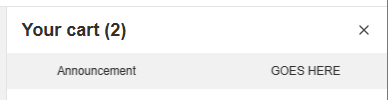
Announcement Bar
Display promotional messages, important notices, or a cart reservation timer.
Examples:
- Free shipping on orders over $50
- Summer Sale ends tonight
- Your products are reserved for ...
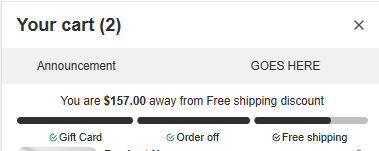
Reward Progress Bar
Motivate customers to spend more by showing rewards they can unlock.
Examples:
- Free shipping
- Order discounts
- Gifts
-
Body
The body contains the main shopping experience inside the cart drawer.
Available components:
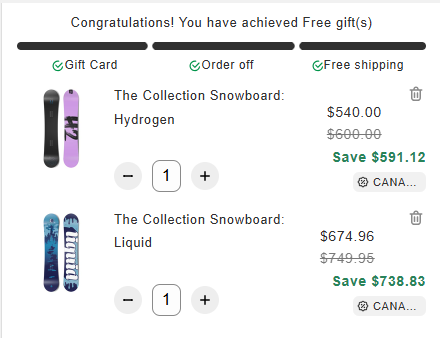
Cart Items
Display the products currently added to the cart.
Customers can:
- View products
- Update quantities
- Remove items
- Display more information about the product: vendor, SKU, unit price, stock left, ...
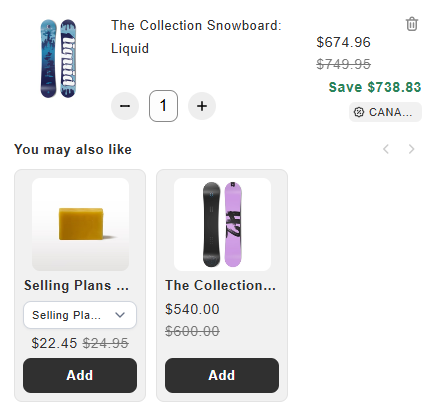
Upsell Products
Recommend additional products to increase cart value.
Examples:
- Frequently bought together products
- Related products
- Best-selling products
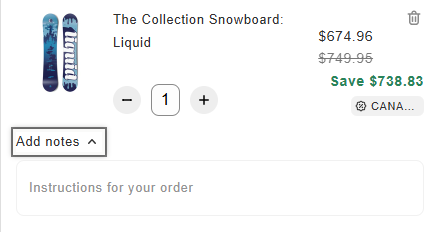
Additional Note
Allow customers to leave notes for the order.
Examples:
- Gift messages
- Delivery instructions
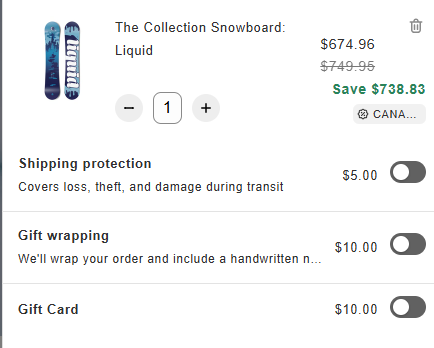
Order Add-ons
Offer optional services or products that customers can add to their order.
Examples:
- Gift wrapping
- Shipping protection
- Product add-ons
-
Footer
The footer helps customers review their order and complete checkout.
Available components:
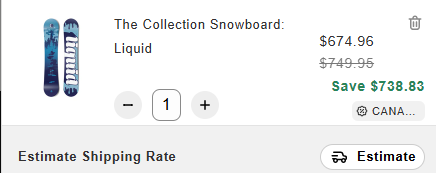
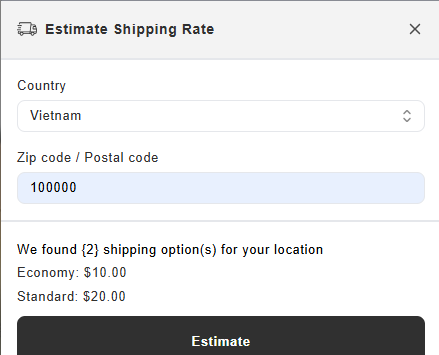
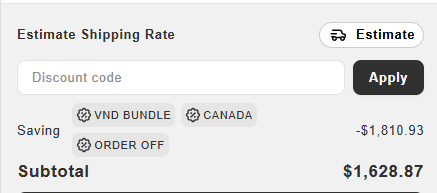
Estimate Shipping Rate
Allow customers to calculate shipping costs before checkout, using the payment settings that your shop currently has.
Order Summary
Display order totals and pricing information.
Examples:
- Subtotal
- Discounts
- Total amount
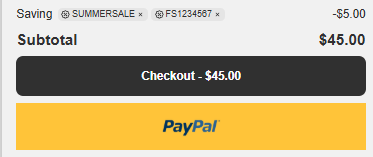
Checkout Actions
Provide checkout buttons for customers to complete their purchase.
You can use:
- Shopify Checkout
- Supported third-party checkout solutions (Kwik, Shiprocket)
- Accelerated checkout method
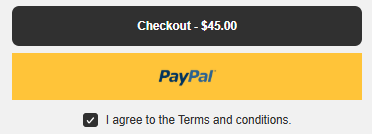
Confirmation Box
Require customers to confirm terms or policies before checkout.
Examples:
- Terms and Conditions
- Return Policy Agreement
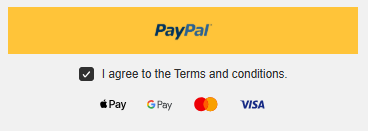
Trust Badges
Display trust indicators in the form of payment icons that help build customer confidence.
-
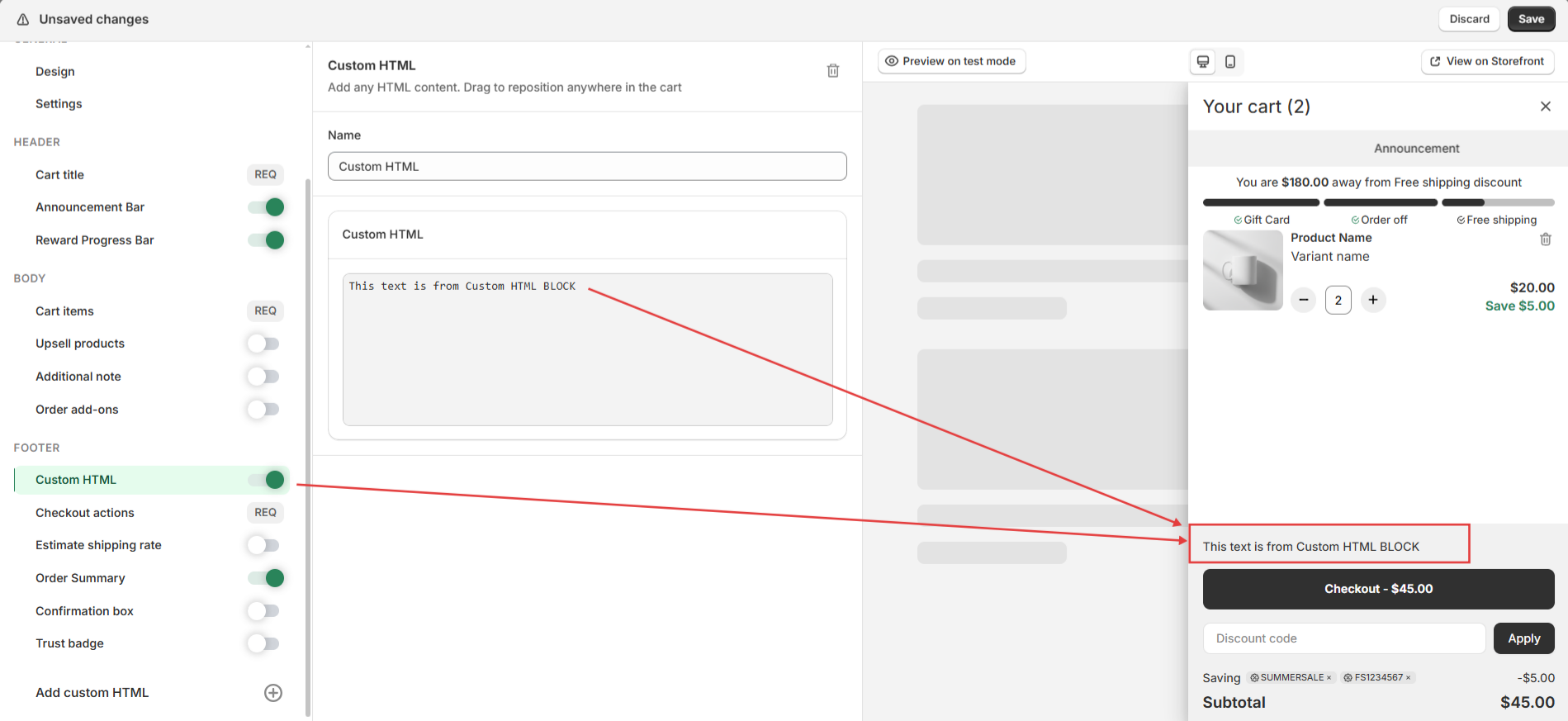
Custom HTML:
You may add your own custom HTML code by placing it into an add-on block and adjusting its position.
Customize Your Cart
Every component in the cart drawer can be enabled, disabled, and customized to match your store's branding and business goals.
You can customize:
- Layout and appearance
- Colors and typography
- Content and messaging
- Customer experience
Next Steps
Now that you understand how the cart drawer is structured, you can start customizing your cart:
- Enable the app in your Shopify theme.
- Customize your cart design and settings.
- Configure revenue-boosting features such as Upsell Products and Reward Progress Bar.
- Optimize your checkout experience with Announcement Bar, Trust Badges, and Checkout Actions.
Need more help?
If you encounter any issues or have questions, feel free to reach out to our support team at [email protected] or via our live chat — we’re happy to help!