
Enable or disable the app and campaigns
There are three different ways to enable or disable BOGO+, depending on what you want to stop showing on your storefront.
|
Option
|
What it affects
|
|
App Embed
|
Turns BOGO+ widgets on or off on your storefront. Campaigns remain active in the app.
|
|
Campaign Status
|
Enables or disables an individual campaign.
|
|
Campaign List
|
Enables or disables multiple campaigns at once.
|
NoteTurning off App Embed only hides the storefront widgets. It does not disable your campaigns.To completely stop a promotion from running, disable the campaign instead.
Option 1. Enable or disable the App Embed
Use this option when you want to show or hide all BOGO+ storefront widgets, such as:
- Promotion badges
- Offer tables
- Countdown timers
- Cart drawer widgets
- Other customizable storefront widgets
Steps
- Open the BOGO+ dashboard.
- Click Enable BOGO+ or Disable BOGO+.

- Shopify will open the Theme Editor.
- Turn the BOGO+ App Embed on or off.
- Click Save.

ImportantDisabling the App Embed only hides the widgets displayed through Shopify Theme App Extensions.Your campaigns remain active and can still run depending on their configuration.
Option 2. Enable or disable an individual campaign
If you only want to pause or activate one campaign, change its status.
Steps
- Open the campaign you want to edit.
- Go to Campaign info.
- Toggle Campaign status to Active or Inactive.
- Click Save.
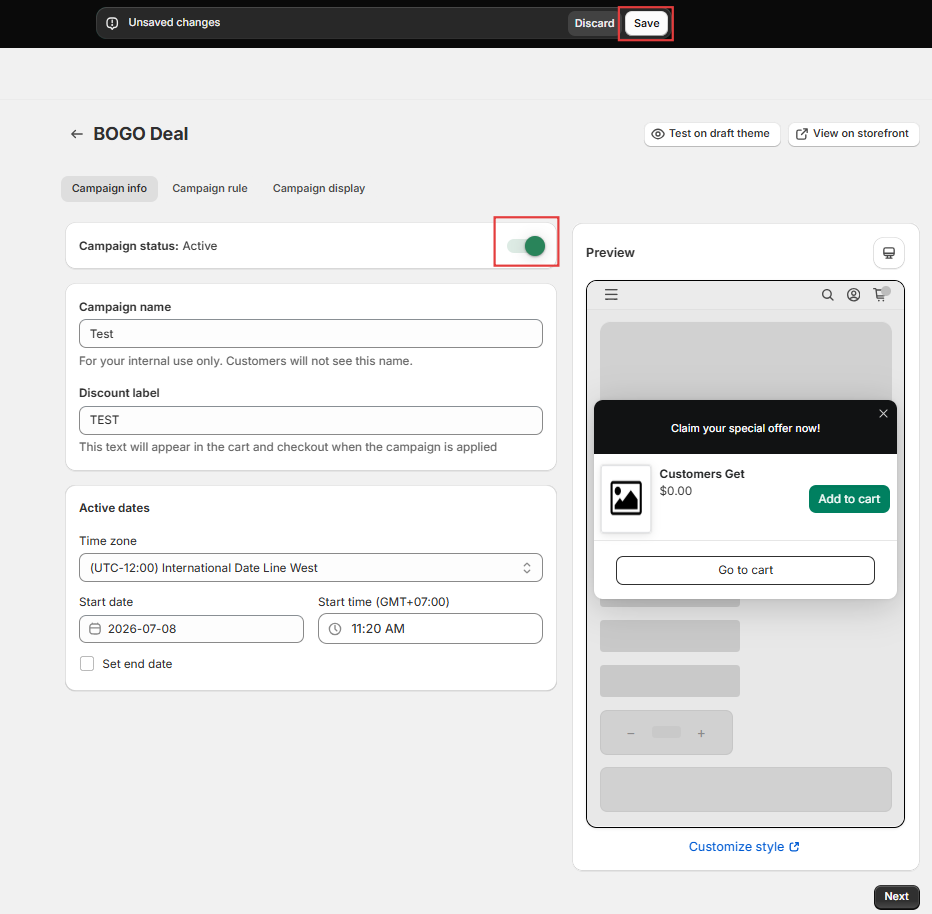
Once disabled, that campaign will no longer apply discounts or rewards on your storefront.
Option 3. Disable multiple campaigns
If you want to pause several campaigns at the same time, use the Campaign List.
Steps
- Open the Campaigns page.
- Select one or more campaigns using the checkboxes.
- Click Deactivate campaigns.
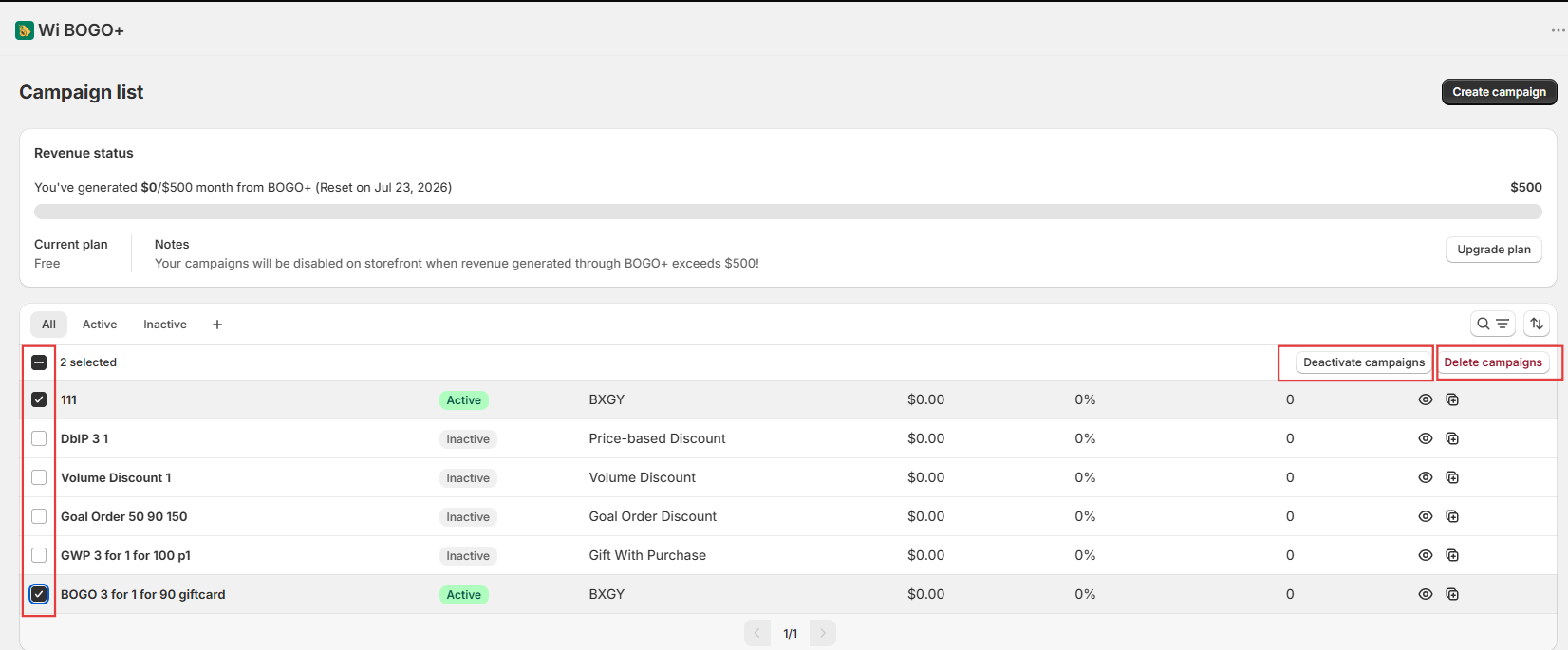
To reactivate a campaign later, open the campaign and change its Campaign status back to Active.
Which option should I use?
|
If you want to...
|
Recommended action
|
|
Hide all BOGO widgets from your storefront
|
Disable the App Embed
|
|
Pause one promotion
|
Change that campaign's status to Inactive
|
|
Pause several promotions
|
Use Deactivate campaigns in the Campaign List
|
|
Completely stop BOGO promotions
|
Disable all active campaigns (App Embed can remain enabled or be disabled if you also want to hide storefront widgets)
|
Need more help?
If you encounter any issues or have questions, feel free to reach out to our support team via [email protected] or via our live chat - we're happy to help!